Monthly fees that generate on their own, payments recorded in a tap, and a clear picture of who still owes what.
وَأَوْفُوا الْكَيْلَ إِذَا كِلْتُمْ وَزِنُوا بِالْقِسْطَاسِ الْمُسْتَقِيمِ
“And give full measure when you measure, and weigh with an even balance.”
— Surah Al-Isra, 17:35
Every active student's monthly fee generates on its own, at the start of each month — nobody needs to re-create it every time. The Fees page groups students by class, showing how many have paid and how many are still pending for the month you're viewing.
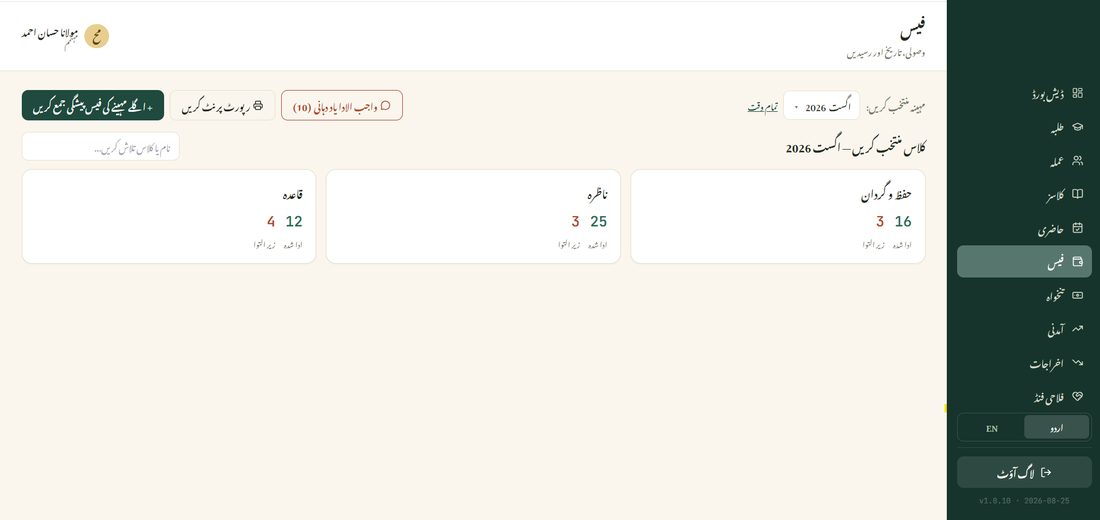
Tap Collect Next Month's Fee Early (اگلے مہینے کی فیس پیشگی جمع کریں) if a parent wants to pay ahead — it records against the correct future month, so it doesn't get mistaken for the current month's payment.
Tap Reminders (یاد دہانی) to see every parent with an unpaid fee for the month in one list, grouped by class — a pre-written WhatsApp message is one tap away for each, so working through the whole list takes moments instead of hunting down each parent's number separately.