Every teacher, Nazim, and other staff member — with their own login, and access limited to exactly what their role needs.
وَتَعَاوَنُوا عَلَى الْبِرِّ وَالتَّقْوَىٰ
“And cooperate in righteousness and piety.”
— Surah Al-Ma'idah, 5:2
Staff (عملہ) covers everyone who works at your madrasa with their own login — teachers, the Nazim, and anyone else helping run things. Each entry shows their role, assigned class (if a teacher), salary, and current status.
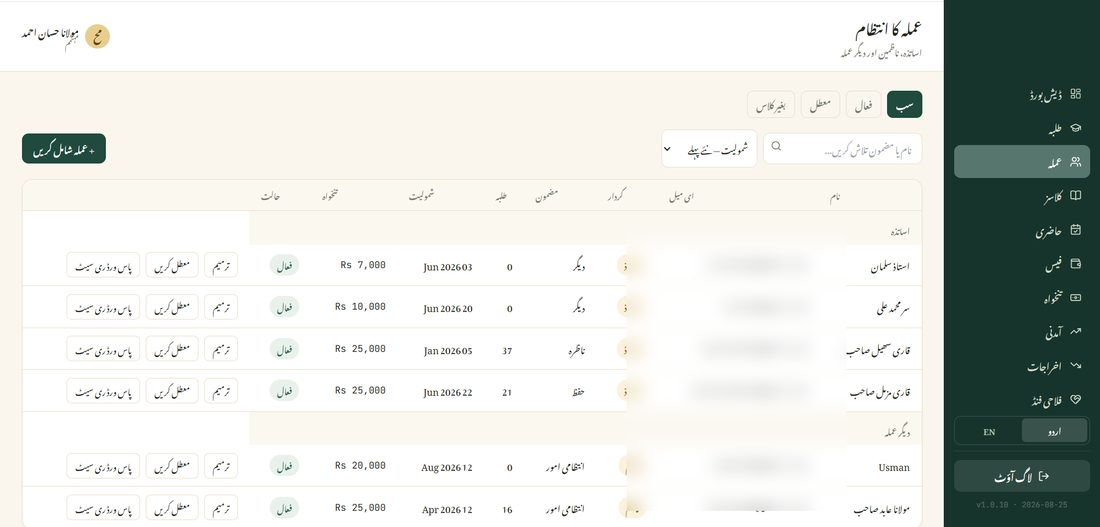
If someone leaves or is temporarily away, suspend their account instead of deleting it — their past records (attendance they marked, progress they recorded) stay exactly as they were. Reactivate any time to restore their login.