Process every staff member's monthly salary, and keep a complete, dated history of every payment made.
إِنَّ اللَّهَ يَأْمُرُكُمْ أَن تُؤَدُّوا الْأَمَانَاتِ إِلَىٰ أَهْلِهَا
“Indeed, Allah commands you to render trusts to whom they are due.”
— Surah An-Nisa, 4:58
The Salary page lists every staff member with their base salary, any outstanding advance, and this month's payment status — Transferred or Not Yet Transferred.
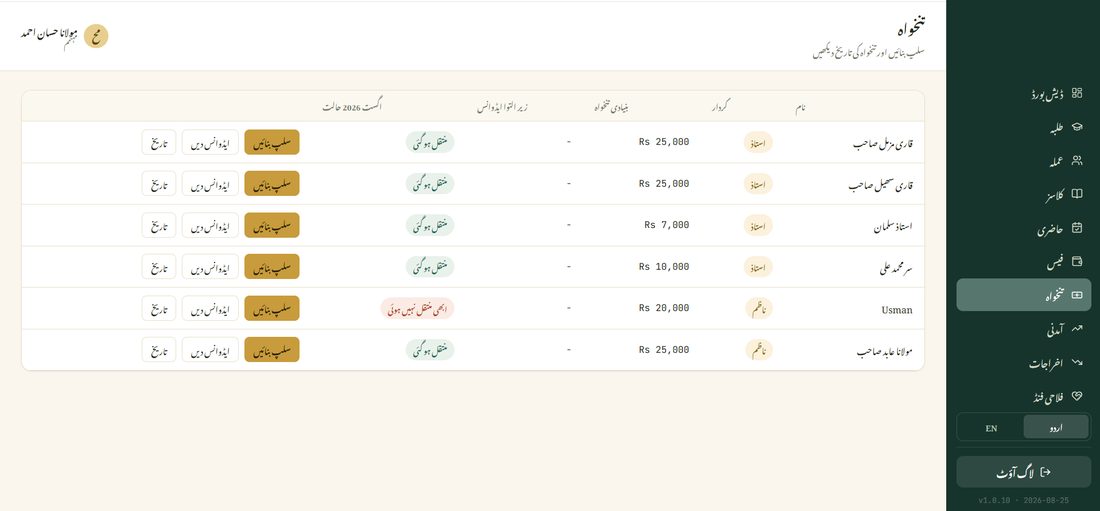
If a staff member needs part of their salary early, tap Advance (ایڈوانس دیں) to record it — it's automatically deducted from their next regular salary payment, so nothing gets paid twice.