Every student's admission, guardian details, and profile — in one place, kept up to date as they move through your madrasa.
اقْرَأْ بِاسْمِ رَبِّكَ الَّذِي خَلَقَ
“Recite in the name of your Lord who created.”
— Surah Al-Alaq, 96:1
The Students page holds every admitted student's full record — personal details, class, father and guardian information, and their fee and login status. You can filter the list by Active, Left, Graduated, or view everyone at once.
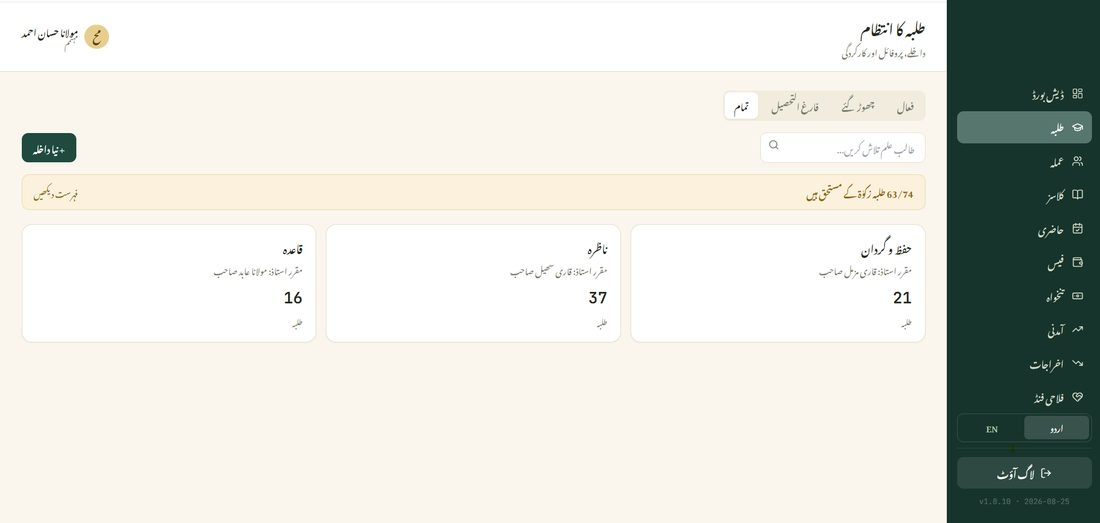
The father's name, CNIC, and phone number are always part of a student's profile. A separate Guardian only needs to be added if someone other than the father — an uncle, a mother, anyone — is the actual point of contact (for example, if the father has passed away or is unreachable).
Every student gets their own login automatically (their admission number doubles as their username and password). If a guardian was added, they get a separate login too — one login that shows every one of their children at your madrasa, not just one.
From a student's profile, tap Generate ID Card to produce a print-ready card with their photo, name, class, and admission number. Download it, print it, or share it as an image directly.
A student's status — Active, Left, or Graduated — controls whether they still appear in daily Attendance and monthly Fees. Changing status doesn't delete their past records; it just stops asking for new ones.
At year-end, use bulk promotion to move an entire class up to the next one together, instead of moving students one at a time.